

Yes, Claude Code can make a short motion graphic from a plain text prompt. It does not make video. It writes a small web page that draws every frame, and a free tool turns those frames into an MP4. We built a six second title animation this way, and you can copy every step below.
The catch is the first result. People say it looks clunky or generic, and they are right. This guide shows the rules that fix that, the export step where most people get stuck, and the one license to read before you build a business on it.
If you went looking and found a mess, you are in good company. One creator tried the popular tools and got nothing good looking, and asked what to do instead. This guide is our answer, built and tested.
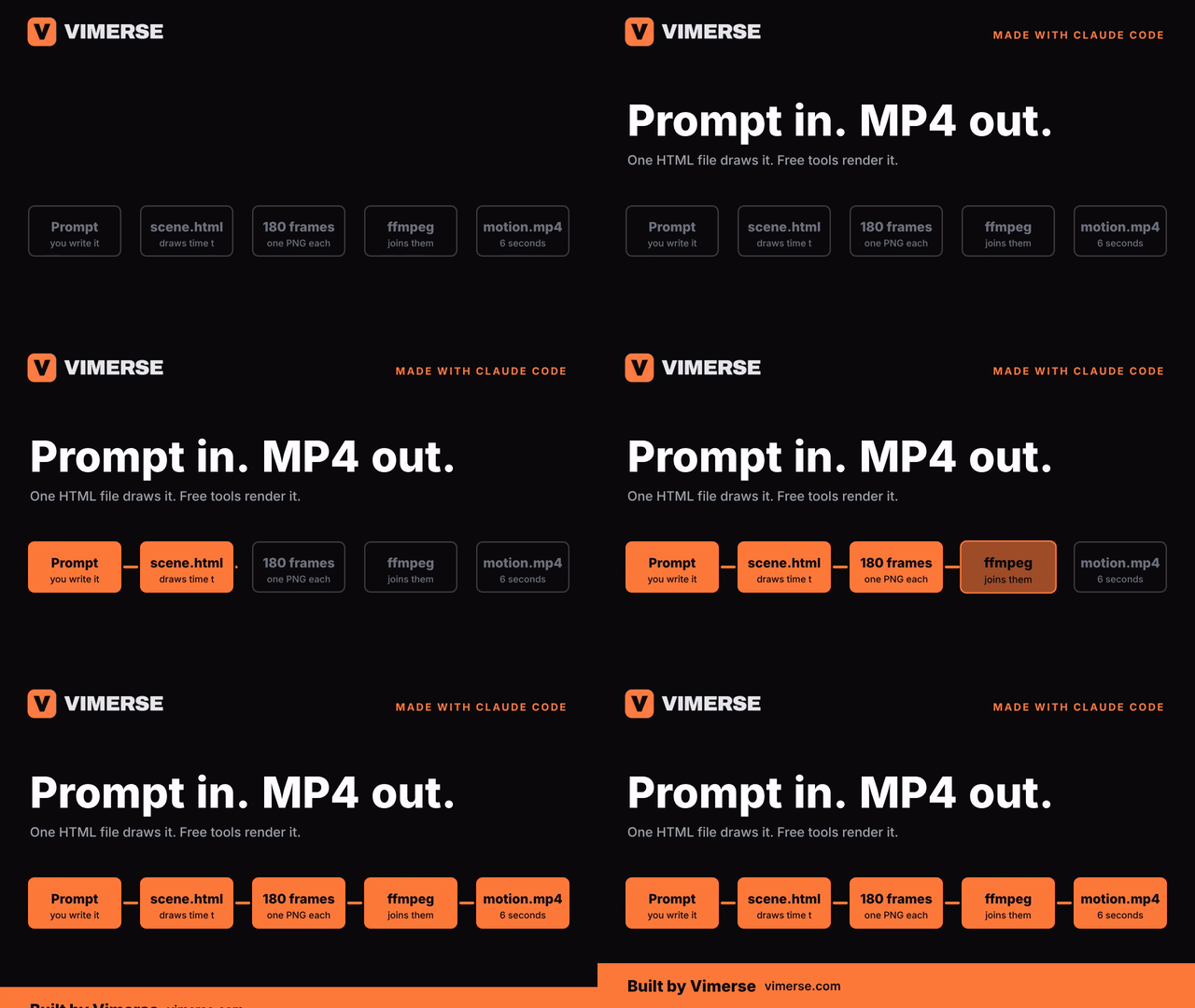
Claude Code draws every frame as code, so it is a layout tool, not a video model
No video model is involved. One builder says the visuals are drawn at runtime on an HTML canvas with no image generator at all. Text, shapes, numbers and charts are things code can draw exactly, so nothing gets warped or mis-spelled.
The trick is that time is just a number. You write one function. Give it 2.5 seconds and it draws the picture at 2.5 seconds. Call it 180 times and you have six seconds of video at 30 frames a second.
That is why text based motion works best. One commenter points out that a large chunk of video is still text with motion graphics, and that startups already automate it with code libraries. Titles, lower thirds, counters and chart builds all fit that shape.
Working motion designers use it for the boring half. One says Claude Code is saving them time once a project is prepped with text animation presets. Use it the same way: let it do the repeat work, and keep the taste for yourself.
The first result looks generic, and written rules fix that
The complaint is real. One user calls Claude great but weak at design, saying "Graphics are clunky, positioning is random" and moving on to what helps. Our first render proved it. The words ran together with no spaces, a bar sat on top of the headline, and a label hit the title.
Write your rules down before you ask for motion. One team built a template that sets frame rate, type scale and motion behavior and built every scene on top of it. Do the same in five lines: size, fonts, two colors, one easing rule, one speed.
Store the brand once, reuse it forever. A Final Cut editor says a lower third arrives already in the client's typeface and the right blue because Claude Code reads a saved brand file. Keep one short file per client and paste it in.
Make Claude look at its own frames. One workflow has Claude read a contact sheet of every beat and fix what is wrong. We did this too. We stitched three frames side by side, looked, and fixed all three bugs in one pass. Every one came from text width, not from the animation math.
Start with one scene. A commenter's advice is to ask for one scene first. Six seconds is plenty. If it looks right, ask for the next one.
Build a six second scene in five steps
Five steps, and none needs a timeline. Here is the whole job.
- Write your rules. Size 1280 by 720, 30 frames a second, two fonts, two colors, one easing rule.
- Ask for one HTML file. It needs one function, render(t), that draws the scene at second t.
- Ask for a capture script. It opens the page, calls render for each frame, and saves a PNG.
- Join the PNGs with ffmpeg. ffmpeg is a free tool that turns a folder of images into a video file.
- Look at three frames. Then tell Claude exactly what overlaps or feels slow.
Paste this prompt to start. It is the one that produced our scene. Swap the words and colors for yours.
The heart of it is one small function. Every moving part is a window between two times, an easing curve and a style change. Here is the kicker and the counter.
Capturing the frames takes about ten lines. Claude Code writes this for you. Playwright is a free tool that drives a real browser. In our test, 180 frames took about 12 seconds to capture, and the MP4 came out at 168 KB.

Export is where most people get stuck
Claude Design gives you an HTML file, not a video. One person who made an animation there could only download an HTML file that looked empty. The animation lives in the browser, so a plain download shows nothing.
Screen recording works, but it is fragile. One thread has Claude start a local server and record Chrome with ffmpeg. If your computer lags, the video lags with it.
Frame capture is steadier. One builder's tool "takes control of the animation clock, captures every frame" and another thread says a frame by frame approach is more robust. That is what render(t) gives you: you hand the page the time, so a slow computer only makes the job slower, never choppier.
Smoother video is a small change. One workflow reaches a true 60fps MP4 with ffmpeg. Change 30 to 60 and the frame count to 360, and the file is twice as smooth.
Remotion is the popular shortcut, but read its license first
Remotion turns React code into video. Many threads pair it with Claude Code. One founder wrote a launch video with it instead of After Effects or hiring an editor. It gives you a preview window and transitions out of the box.
It is source available, not open source. One commenter warns about its custom license, and another says it is "not suitable for building a business on top of it" though fine for personal use. Read the license on its own site before you use it for client work.
Hosting can cost you a day. One developer lost a day when rendering silently failed online but worked locally, and another says it is slow because it does what a browser does, just automated. Render on your own machine and upload the MP4.
Plain HTML skips both problems. Our scene needs only a browser and ffmpeg. The tradeoff is that you get no timeline and no ready made transitions, so you write the easing yourself. For 6 second pieces, that is a fair deal.
What to be careful about before you ship one
Most things that go wrong are not the animation. They are small checks you skip. Each one below takes a minute, and the Remotion license above is the seventh.
Check every number and every word on screen. One skeptic says Claude Code routinely misunderstands and hallucinates basic things. In a motion graphic that means a wrong stat or a misspelled name, in front of everyone. Keep real figures in a file, paste them in, and read the last frame before you export.
Use the real logo file. If you do not hand Claude the logo, it will draw one. A redrawn logo is the quickest way to put the wrong brand on screen. Our branded scene loads the actual Vimerse file, and so should yours.
An MP4 has no see through background. You need transparency to lay a lower third over footage. One editor says to export QuickTime with the Animation codec and alpha. We tested a code route: ask Claude to capture with a transparent background (Playwright calls it omitBackground), then run ffmpeg with the options below. The file came out with an alpha channel.
Free animation files carry licenses. One thread notes that a lot of Lottie files are free but not all are cleared for commercial use. The same goes for fonts and music. Drawing everything in code avoids the problem, and if you add an outside asset, write down where it came from.
Do not flash the screen. Accessibility guidelines say to avoid more than three flashes in any second. Keep fades and pulses slow, and be careful with bright strobes on a dark background.
Match your editor before you render. Check your timeline's frame rate and size first, then put both in the prompt. Our test scenes are 1280 by 720 at 30 frames a second. For a 1080p YouTube timeline, ask for 1920 by 1080.
Never let the loop start or end on black. We did this ourselves. Our first demo GIF began on a blank frame, so previews showed a black box and it looked broken. The fix was to keep the logo and box outlines on screen from the very first frame, and to end on a held end card instead of a fade.
What this replaces, and what it still does not
A motion designer costs real money. A 2026 thread on freelance pricing puts a junior at $500 and a high end designer at $1,000, and an older thread suggests at least $2,000 to $3,000 for one project. Code does not remove that cost for hard work. It removes it for the easy work.
Some people ship a whole launch video this way. A 20 year video veteran says Claude made their launch video "entirely in code, soundtrack included, in one night". Treat that as the best case, not the average one.
| The job | Does code handle it? | What you still bring |
|---|---|---|
| Title cards and moving text | Yes, this is its best case | Fonts, colors and a speed rule |
| Lower thirds with new names | Yes, write one template and reuse it | The exact typeface and brand color |
| Animated numbers and charts | Yes, numbers are easy to draw | The real figures, checked by you |
| Logo sting or intro | Yes, if the logo is a vector file | The SVG logo and one reference you like |
| Characters, 3D, or live footage | Weak in our view | A motion designer or a video model |
| Final feel and timing | A good first pass | Your eye on every frame |
After Effects users can keep their tool. One workflow has Claude write ExtendScript that drives After Effects. If you already pay for After Effects, that is the lower risk way to start.
Our rule: code for short, text based pieces. A title card, lower third, counter or chart build is faster to write than to animate by hand. A three minute brand film with footage, characters and sound design still needs people. Use code for the first kind, and hire for the second.
What to do about each thing you see
| What you see | What it means | What to do |
|---|---|---|
| Words run together or overlap | A layout bug, usually text width | Render three frames side by side and tell Claude what collides |
| Everything looks generic | You gave no rules | Paste fonts, colors, easing and speed into the prompt |
| The export is an empty HTML file | The animation only runs in a live browser | Capture frames and join them with ffmpeg |
| A render works at home but fails online | Hosting limits on video work | Render on your own machine and upload the MP4 |
| You plan to use Remotion for client work | Its license is not open source | Read the license before you build on it |
Things to stop doing
- Asking for a whole video in one prompt. Ask for one 6 second scene.
- Skipping the style rules. Without them, you get the same generic look as everyone else.
- Trusting the first render. Look at three frames before you say it is done.
- Exporting the HTML file and calling it a video. Capture frames instead.
- Using Remotion for client work before you have read its license.
- Shipping without reading every number and name on the final frame.
- Leaving a loop or GIF to start or end on a black frame.
A 30 minute routine for your first scene
- Minutes 0 to 5: write five lines of rules, and pick one scene.
- Minutes 5 to 10: paste the prompt, and open the HTML file in a browser.
- Minutes 10 to 15: ask for the capture script, and run it.
- Minutes 15 to 20: join the frames with ffmpeg, and watch the MP4.
- Minutes 20 to 30: put three frames side by side, and fix what collides.
The short version
- Claude Code does not make video. It writes code that draws each frame.
- Time is just a number: one render(t) function, called once per frame.
- The first result looks generic. Written rules and a look at three frames fix that.
- Capture frames and join them with ffmpeg. Do not rely on an HTML download.
- Read the Remotion license before client work. Plain HTML has no such catch.
- Check numbers, use the real logo, and export with alpha if it goes over footage.
- Use this for short, text based pieces. Hire for footage, characters and long films.
Read next
- What an AI Video Production Agency Actually Does, for the work that code alone will not cover.
- How to Read YouTube Analytics, for what to measure once your animation is live.
- Video Sales Letter: What It Is and What the Edit Is Doing, for a format where moving text carries the whole message.
- White Label Video Editing for Agencies, for handing finished video work to a team.
If you would rather hand the motion work to people, our AI video production page shows what we take on.
Last reviewed 21 October 2026. The scene, the frame count, the 12 second capture time and the 168 KB file size are from a test run we did for this guide. Every claim about what other people think links to the public forum thread it came from.
First video free · up to 4 editing hours
If you would rather hand the motion work to people, our AI video production page shows what we take on.
15-min call. First cut in 2 days. No card needed.